 TrueRoute
How to Connect an OBD2 Adapter
TrueRoute uses an ELM327 Bluetooth OBD2 adapter to read your vehicle's speed sensor. This data powers dead reckoning — navigation that continues when GPS is disrupted.
What is OBD2?
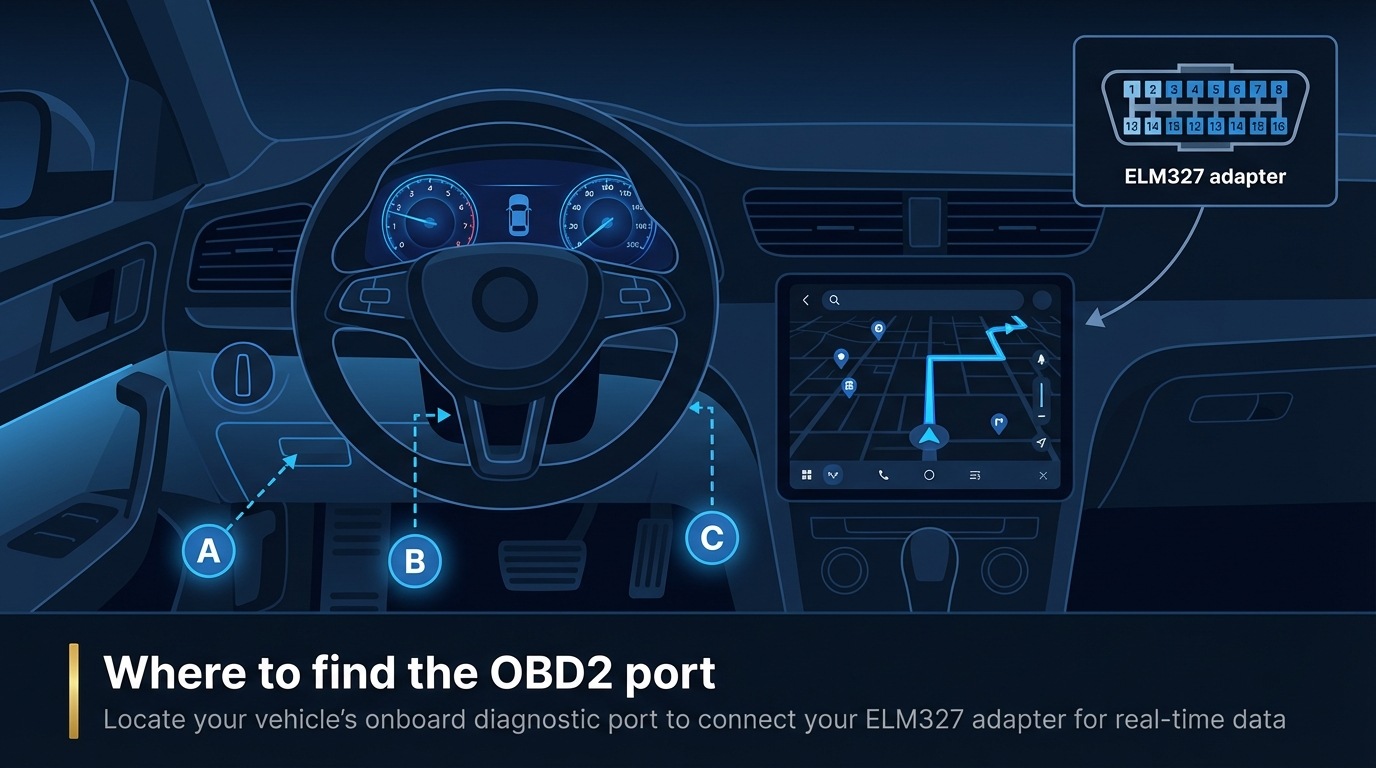
OBD2 (On-Board Diagnostics II) is a standard diagnostic interface found in all petrol vehicles from 2001 and most diesel vehicles from 2004. The OBD2 port uses a J1962 connector, typically located under the dashboard on the driver's side.
What you need
- An ELM327 Bluetooth OBD2 adapter (~$10). Only Bluetooth Classic (SPP profile) adapters are supported. WiFi and Bluetooth Low Energy (BLE) adapters do not work with TrueRoute.
- An Android 8.0+ phone with Bluetooth enabled.
- A vehicle with an OBD2 port (petrol 2001+, most diesel 2004+).
Steps
- Locate the OBD2 port under your dashboard on the driver's side. Plug the ELM327 adapter into the port — it clicks in firmly.
-
Turn your vehicle's ignition to the ON position (engine running or accessory mode).
-
Open your phone's Bluetooth settings and confirm Bluetooth is enabled.
-
Open TrueRoute. Tap Scan for Adapters on the connection screen.
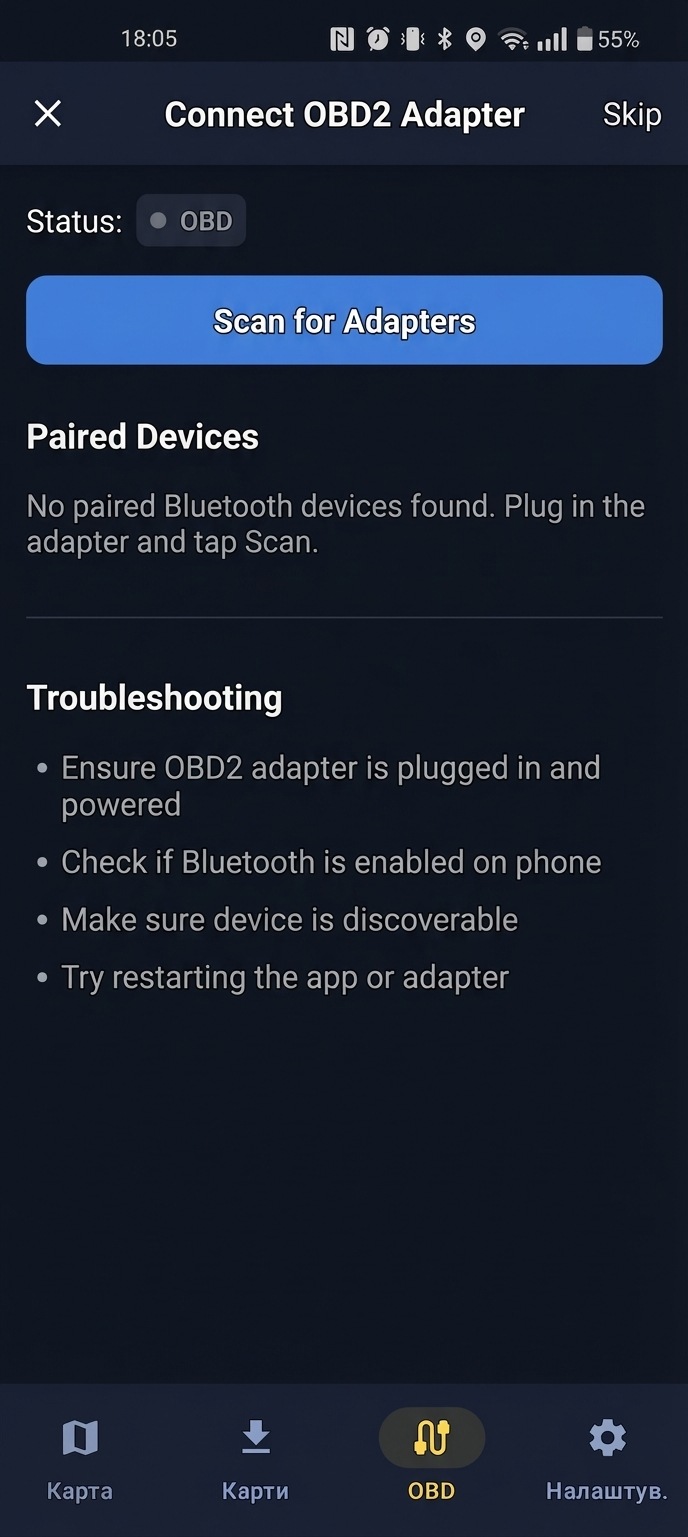
- Select your ELM327 adapter from the list of discovered devices.
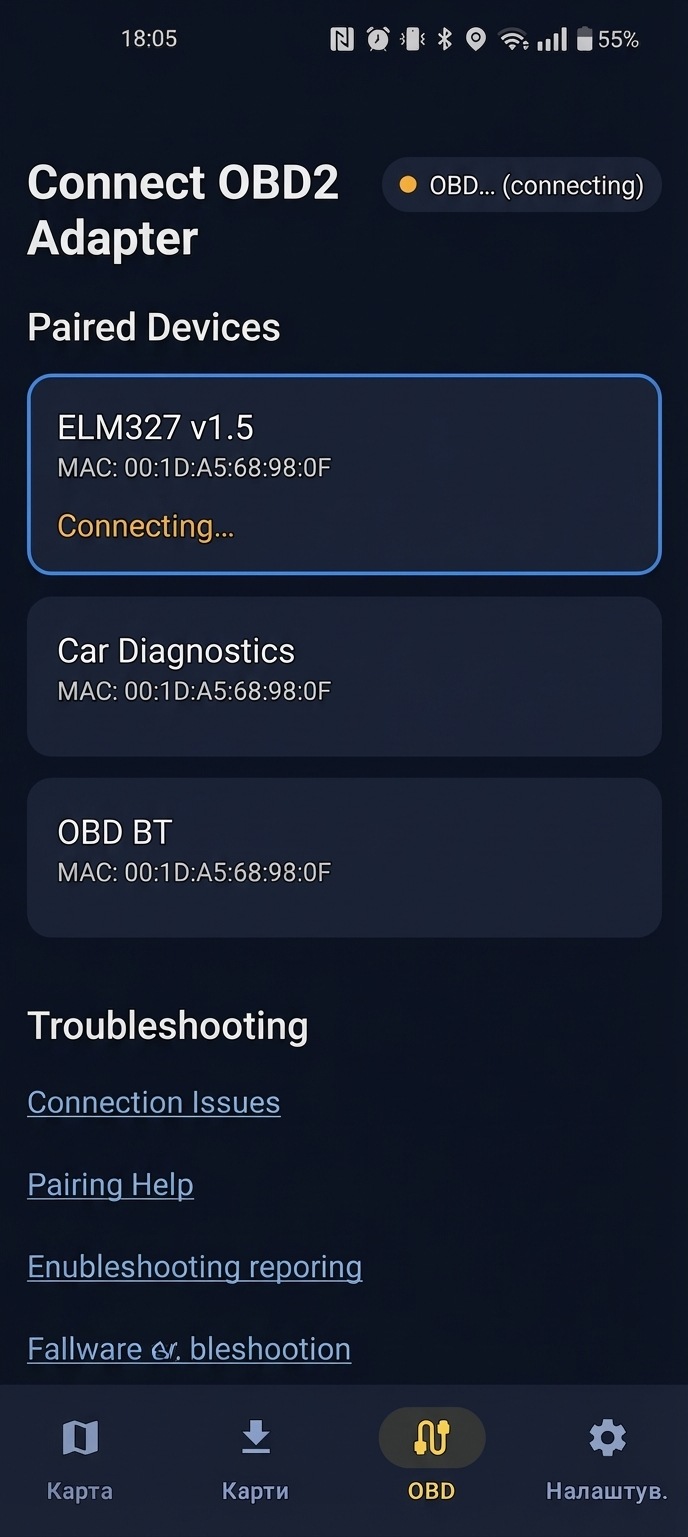
- Wait for the connection to establish. The app connects and begins reading vehicle data.
What success looks like
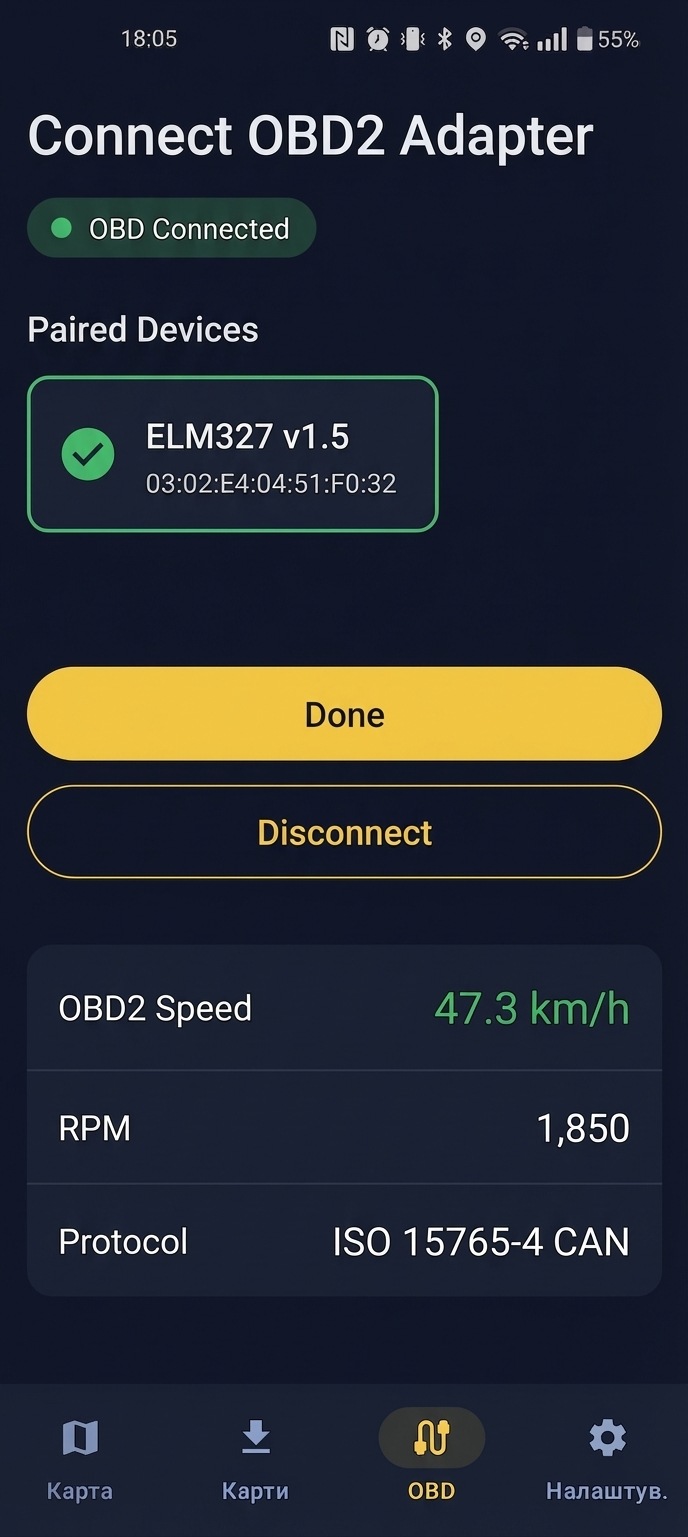
The OBD2 speed reading appears in the app's status bar. The connection indicator turns green, confirming live data from your vehicle. You are now ready to navigate with Enhanced mode — GPS fused with OBD2 speed for the best accuracy.
Something went wrong?
- Adapter not found during scan. Confirm the adapter is plugged in, ignition is ON, and Bluetooth is enabled on your phone. Some adapters need manual pairing in Android Bluetooth settings first (default PIN:
1234or0000). - Connected but no speed reading. Ensure the engine is running (not just accessory mode). Try unplugging and re-plugging the adapter.
For more help, see OBD2 not connecting — Troubleshooting.